VPNs have improved significantly over the past few years, but speed is still the most common complaint. Turn it on, and suddenly your connection feels… slightly off. Not broken, just slower.
That’s expected.
A VPN adds extra steps—encryption and rerouting—which can affect performance. The good news is that most slowdowns aren’t permanent. In many cases, they come down to settings, server choice, or network conditions.
And those can be adjusted.
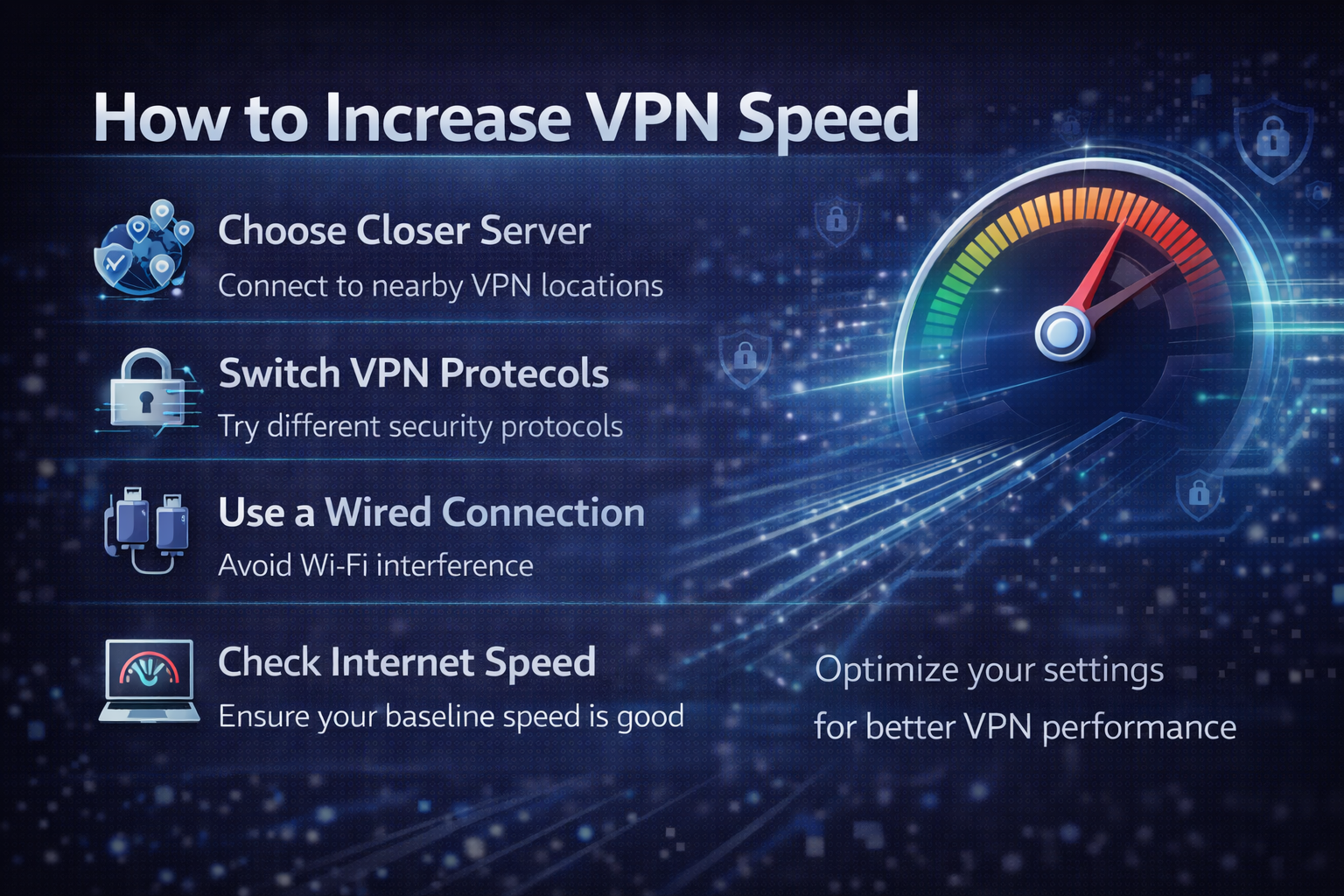
Start with the Obvious: Choose a Closer Server
Distance is one of the biggest factors in VPN speed.
When you connect to a nearby server:
- Data travels a shorter distance
- Latency stays low
- Speeds remain closer to normal
Switching to a distant server—say, connecting across continents—adds delay. Even a high-quality VPN can feel slower under those conditions.
This is the easiest fix.
If you don’t need a specific location, use the closest server available.
⚠️ Affiliate disclosure: We may earn a commission at no extra cost to you.
🔥 Editor's Picks
Best VPN Deals Right Now
🏆 BEST VPN
NordVPN ⭐ 4.7/5
- 🔒 Military-grade encryption
- 🌍 60+ countries servers
- ⚡ Fast & stable streaming
🔥 Unlock NordVPN Discount
💰 BEST BUDGET
Surfshark ⭐ 4.6/5
- 💸 Cheapest long-term plan
- 📱 Unlimited devices
- 🚀 Great for streaming
💸 Try Surfshark Now
Try a Different Server (Even in the Same Location)
Best VPN Deals Right Now
NordVPN ⭐ 4.7/5
- 🔒 Military-grade encryption
- 🌍 60+ countries servers
- ⚡ Fast & stable streaming
Surfshark ⭐ 4.6/5
- 💸 Cheapest long-term plan
- 📱 Unlimited devices
- 🚀 Great for streaming
Not all servers perform equally—even within the same city or country.
Some may be:
- Overloaded with users
- Experiencing temporary slowdowns
- Less optimized for your connection
Switching servers can make an immediate difference without changing anything else.
It’s a simple step, but often overlooked.
Change the VPN Protocol
VPN protocols control how your data is encrypted and transmitted. Some prioritize security, while others focus on speed.
Modern VPNs typically offer options like:
- WireGuard (or equivalents like NordLynx)
- OpenVPN
- IKEv2
In practice:
- WireGuard-based protocols are usually faster
- OpenVPN is more established but often slower
- IKEv2 balances speed and stability
Switching protocols can noticeably improve performance, especially on mobile devices or unstable networks.
Check Your Base Internet Speed
A VPN can’t be faster than your original connection.
If your internet is already slow, the VPN will amplify that limitation.
Before troubleshooting further:
- Run a speed test without the VPN
- Compare it with VPN-enabled speeds
If both are slow, the issue may be your network—not the VPN.
This step helps avoid unnecessary adjustments.
Use Wired or Stable Connections
Your connection type matters more than most people expect.
Wi-Fi—especially public or crowded networks—can introduce:
- Interference
- Packet loss
- Variable speeds
Switching to a wired connection or a stronger Wi-Fi signal often improves VPN performance immediately.
Compared to optimizing settings, this is sometimes the bigger upgrade.
Disable Unnecessary Features
Many VPNs include additional features:
- Ad blockers
- Multi-hop routing
- Malware filtering
These can add extra processing or routing steps.
For example:
- Multi-hop routes your traffic through multiple servers
- Ad blockers filter requests in real time
Useful features—but not always necessary.
Disabling them can improve speed, especially for simple browsing or streaming.
Compare VPN Providers: Not All Perform the Same
Speed differences between VPN providers are real.
Premium services tend to offer:
- Better server infrastructure
- More consistent performance
- Faster protocols
Budget options may:
- Have fewer servers
- Experience congestion
- Show inconsistent speeds
If you’ve tried multiple fixes and performance is still poor, the issue may not be your setup—it may be the service itself.
When Speed Still Feels Slow
Even with optimization, VPNs won’t match direct connections perfectly.
That’s part of the design.
You’re adding:
- Encryption
- Extra routing
- Additional processing
The goal isn’t zero slowdown. It’s acceptable performance with added privacy.
Understanding that baseline helps set realistic expectations.
VPN vs No VPN: A Practical Trade-Off
Without a VPN:
- Faster speeds
- Direct connection
- Less privacy and control
With a VPN:
- Slightly reduced speed
- Encrypted traffic
- More control over location and data
Improving VPN speed is about narrowing that gap—not eliminating it.
Final Verdict: Small Adjustments, Noticeable Gains
Increasing VPN speed doesn’t require technical expertise. In most cases, it comes down to a few practical changes—server selection, protocol choice, and network conditions.
These adjustments won’t remove all slowdown, but they can make the difference between a frustrating connection and a usable one.
Best VPN Deals Right Now
NordVPN ⭐ 4.7/5
- 🔒 Military-grade encryption
- 🌍 60+ countries servers
- ⚡ Fast & stable streaming
Surfshark ⭐ 4.6/5
- 💸 Cheapest long-term plan
- 📱 Unlimited devices
- 🚀 Great for streaming

