Best VPN Deals Right Now
NordVPN ⭐ 4.7/5
- 🔒 Military-grade encryption
- 🌍 60+ countries servers
- ⚡ Fast & stable streaming
Surfshark ⭐ 4.6/5
- 💸 Cheapest long-term plan
- 📱 Unlimited devices
- 🚀 Great for streaming
Virtual private networks (VPNs) have become a standard tool for privacy, remote work, and bypassing geographic restrictions. But when something goes wrong, users are often met with vague error messages that offer little guidance. Understanding the most common VPN errors—and what causes them—can save time and prevent unnecessary troubleshooting.
At a basic level, VPN errors usually stem from issues with connectivity, authentication, or configuration. These problems can originate on the user’s device, the local network, or the VPN provider’s servers. While the error codes themselves vary by service, the underlying causes tend to follow familiar patterns.
One of the most frequent issues is a connection timeout. This typically happens when the VPN client cannot reach the server within a set time. It may point to unstable internet, firewall restrictions, or incorrect server addresses. Switching networks or trying a different server often resolves the problem quickly.
Authentication errors are another common category. These occur when login credentials are rejected or when there’s a mismatch in encryption settings. In corporate environments, this can also happen if certificates are expired or improperly configured. Double-checking login details is the simplest fix, but persistent issues may require updating security settings.
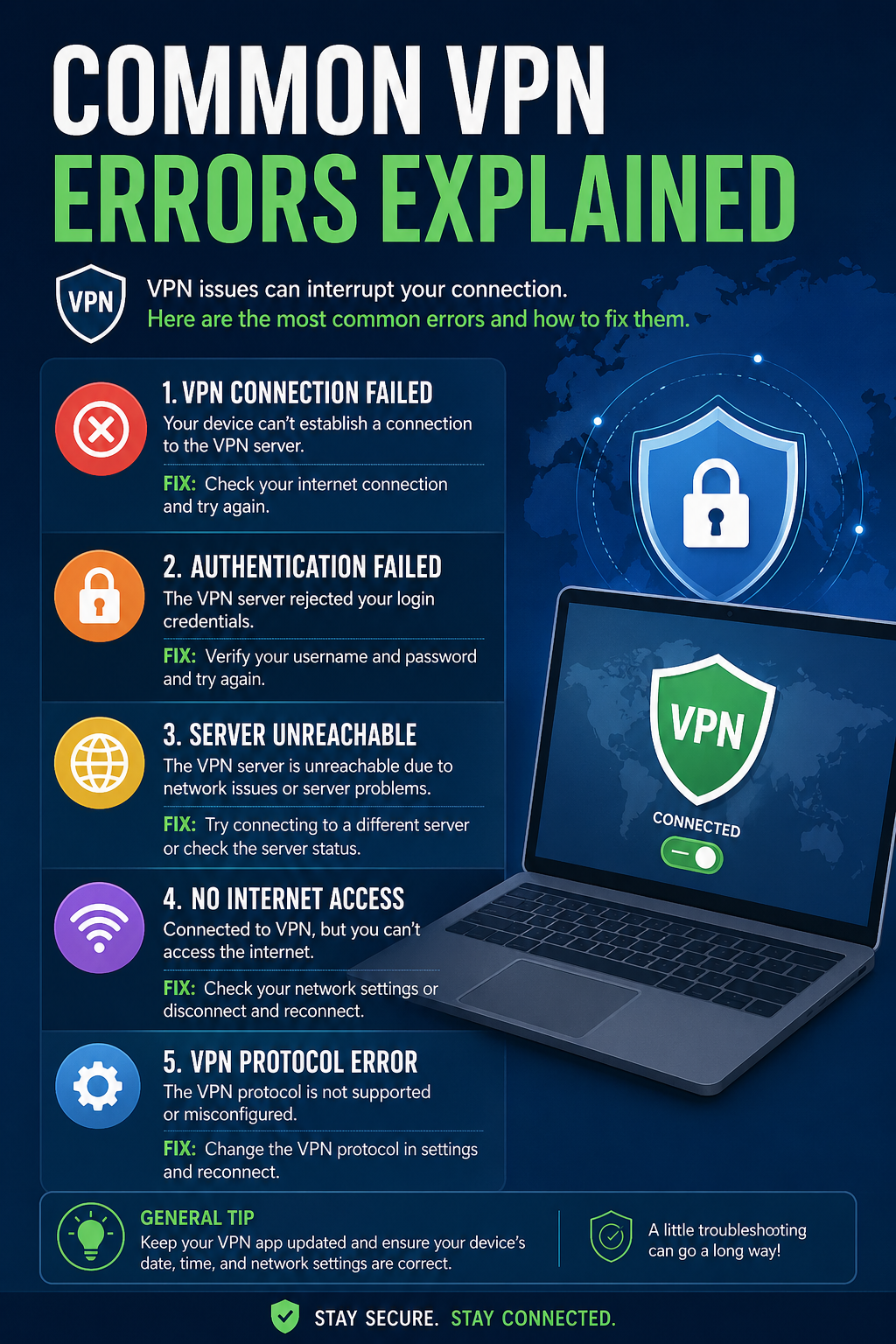
Some errors are tied to protocol conflicts. VPNs rely on protocols like OpenVPN, IKEv2, or WireGuard to establish secure tunnels. If a network blocks a specific protocol—or if the client and server are misaligned—connections can fail. Changing the protocol in the VPN settings can often restore access.
There are also DNS and IP-related errors, which can disrupt browsing even when the VPN appears connected. These issues may cause websites to load incorrectly or not at all. Flushing DNS settings or enabling built-in leak protection features can help stabilize the connection.
Less frequently, users encounter server-side errors, especially during peak usage periods. In these cases, the problem isn’t on the user’s end. Trying a different region or waiting for the provider to resolve the issue is usually the only option.
For most users, the key is recognizing that VPN errors are rarely random. They tend to reflect specific points of failure in the connection process, whether it’s network access, identity verification, or data routing.
Takeaway: VPN errors may look technical, but they usually trace back to a handful of common causes. Identifying the type of issue—connection, authentication, or configuration—can make troubleshooting faster and more effective, helping users maintain secure and reliable access online.
Best VPN Deals Right Now
NordVPN ⭐ 4.7/5
- 🔒 Military-grade encryption
- 🌍 60+ countries servers
- ⚡ Fast & stable streaming
Surfshark ⭐ 4.6/5
- 💸 Cheapest long-term plan
- 📱 Unlimited devices
- 🚀 Great for streaming

