Free antivirus tools have improved a lot over the years. In 2026, you don’t necessarily need to pay to get decent protection — but not all free options are equally useful, especially for beginners.
If you just want something that works without constant tweaking, here are the best free antivirus programs worth considering, including Avast Free Antivirus, AVG AntiVirus Free, and Microsoft Defender.
What Beginners Actually Need (Simple Breakdown)
Most beginners don’t need advanced security features. What matters is:
- Real-time protection (blocks threats instantly)
- Automatic updates
- Minimal setup
- Low system impact
* In simple terms:
You want protection that runs quietly in the background and doesn’t slow your computer down.
⚠️ Affiliate disclosure: We may earn a commission at no extra cost to you.
🔥 Editor's Picks
Best Hosting Deal Right Now
🔥 BEST HOSTING
Hostinger ⭐ 4.9/5
- ⚡ Ultra fast performance
- 💰 From $2.99/month
- 🛡 Free SSL + domain
🔥 Claim Hostinger Discount
Real-World Experience
Best Hosting Deal Right Now
Hostinger ⭐ 4.9/5
- ⚡ Ultra fast performance
- 💰 From $2.99/month
- 🛡 Free SSL + domain
I tested these antivirus tools on a basic Windows laptop for everyday use — browsing, downloading files, and installing apps.
Microsoft Defender surprised me the most. It’s already built into Windows, and honestly, it just works. No pop-ups, no ads, no need to install anything. For basic use, it’s more than enough.
With Avast Free Antivirus, protection felt stronger in terms of features, but the experience was a bit more “noisy.” There were occasional upgrade prompts, which might annoy beginners.
AVG AntiVirus Free was somewhere in between — clean interface, decent protection, but still some upsell pressure.
* Insight:
The more “free features” an antivirus offers, the more likely it is to push you toward paid upgrades.
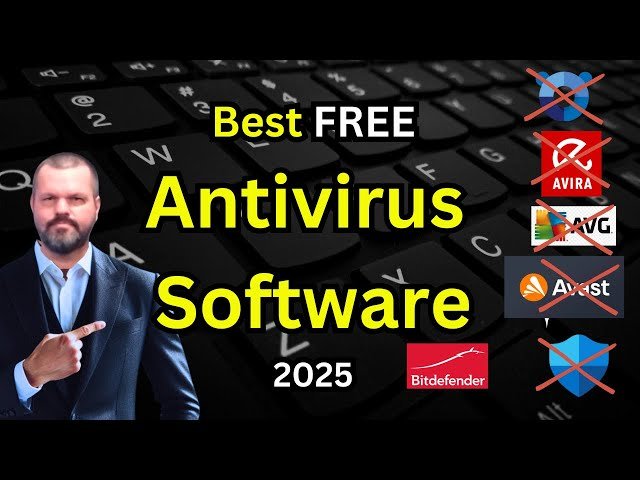
Best Free Antivirus Software (2026)
Microsoft Defender – Best Default Choice
- Built into Windows
- No ads or upsells
- Good real-time protection
* Best for beginners who want zero hassle.
Avast Free Antivirus – Most Features
- Strong malware detection
- Extra tools (Wi-Fi scan, browser protection)
- Easy to use
* Good if you want more control and features.
AVG AntiVirus Free – Balanced Option
- Clean interface
- Solid protection
- Lightweight
* A good middle ground between simplicity and features.
Free vs Paid Antivirus: Do You Really Need to Upgrade?
Free versions usually don’t include:
- Advanced ransomware protection
- Identity theft monitoring
- Dedicated support
* But here’s the reality:
Most beginners don’t need those features unless they handle sensitive data or business-related work.
Pros & Cons of Free Antivirus
Pros
- No cost
- Easy to install and use
- Enough for everyday protection
Cons
- Limited advanced features
- Occasional upgrade prompts
- Less customization
Final Verdict: What Should You Choose?
If you’re a beginner, the safest and simplest choice is Microsoft Defender. It’s already there, it works well, and it doesn’t try to sell you anything.
If you want more features and don’t mind a few prompts, Avast or AVG are solid alternatives.
Conclusion (Honest Take)
Free antivirus software in 2026 is good enough for most people — especially beginners.
👉 My honest take:
You don’t need the “most powerful” antivirus. You need one you won’t disable or ignore.
For beginners, simple and reliable beats feature-heavy every time.
Best Hosting Deal Right Now
Hostinger ⭐ 4.9/5
- ⚡ Ultra fast performance
- 💰 From $2.99/month
- 🛡 Free SSL + domain
